Plan every cut before you make one.
Nestmark tells you how many sheets, yards, or boards a project needs, then shows you exactly where to cut each piece.
Free to plan. One-time upgrade to save. iPhone and iPad.
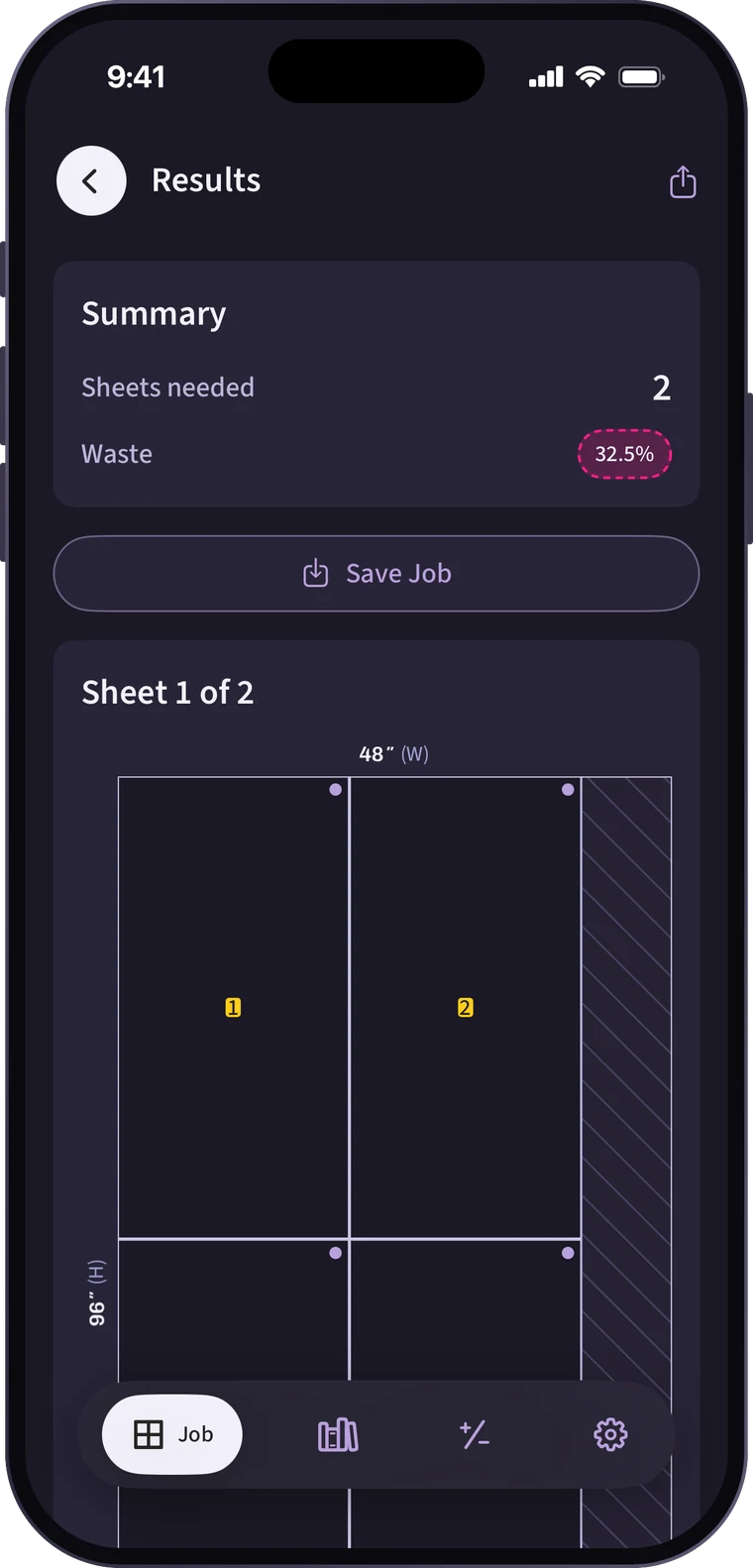 2 sheets to buy
Kerf 1/8″ built in
How it works
Sheets, rolls, or boards.
A 4×8 sheet of plywood, a 44″ bolt of fabric, or 8′ boards. Set your blade’s kerf and a safety buffer once.
Every size, every count.
Enter each piece once with how many you need. Give it a label like “Upper cabinet door” and choose whether it has to follow the grain.
A diagram for every sheet.
Nestmark packs your pieces onto as little stock as it can and numbers each one, on the diagram and in the cut list.
Features
Grain, nap, and pattern stay put.
Axis-locked pieces can flip end for end but never turn sideways, the way wood grain works. One-way pieces keep a napped fabric or printed pattern facing up. Pieces that don’t show, like a lining or a cabinet back, can ignore it.
Know the cost before you buy.
Save a material with its price per sheet, board, yard, foot, or meter. Every job shows how much to buy, what it costs, and what the waste costs you.
See what’s left over.
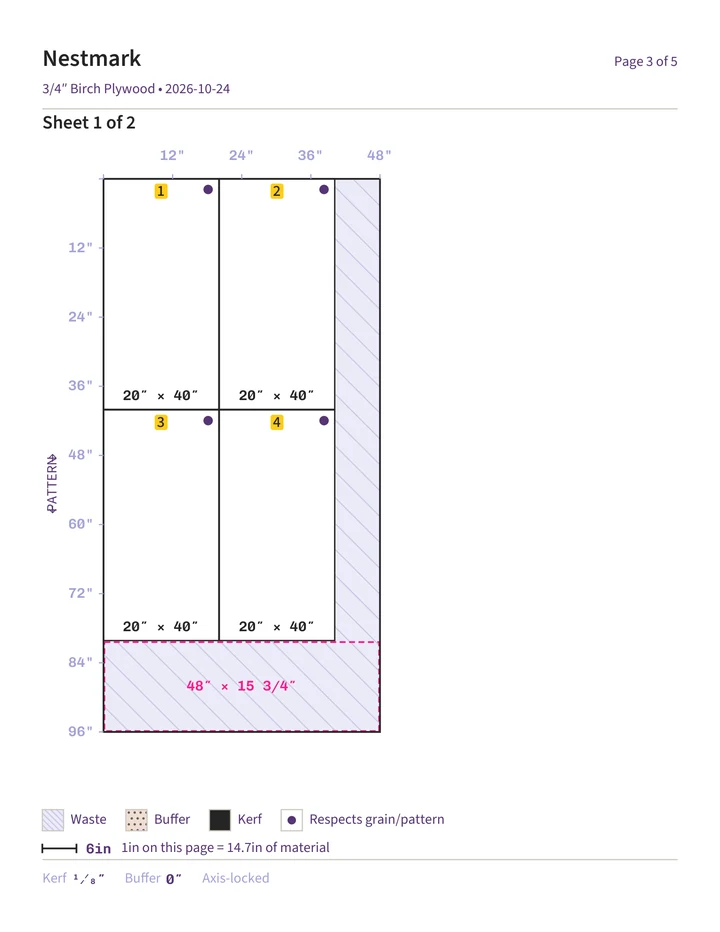
Waste is hatched, and the biggest leftover piece is outlined with its size, so you know what you can save for the next project.
Print it. Take it to the saw.
A clean PDF with the cut list and a to-scale diagram of every sheet, rulers on the edges.
Fractions that add up.
Mix feet, inches, fractions, and metric in one line. The math stays exact.
42″ − 3 1/2″38 1/2″3/8″ + 1/4″5/8″10′ ÷ 340″Buy the right length.
Leave a roll’s length blank and Nestmark tells you the minimum to buy. Working from a remnant? Enter what you have and see if everything fits.
Label it once. Reuse it later.
Save your go-to materials and cut lists, then pull them into the next job. Your Library and job history sync to your account.
- Plywood
- MDF
- Quilting cotton
- Vinyl
- Foam board
- Acrylic
- Lumber
- Trim
Pricing
$0
- The full cut optimizer, for every material
- Diagrams, cut lists, and PDF export
- The fraction calculator
- No account needed
$4.99one time
- Library of materials and cut lists
- Cost estimates for every job
- Job history, synced to your account
No subscription. No ads.
Good to know.
Something else? Email hello@zukisanlabs.com and a real person will get back to you.
Do I need an account?
Not to plan. You can set up jobs, see layouts, and export PDFs without signing in. Saving materials, cut lists, and job history needs an account (Sign in with Apple or email) and Nestmark Pro.
Is it a subscription?
No. Nestmark Pro is a single one-time purchase. Planning stays free, and there are no ads.
What units can I use?
Inches, feet, yards, millimeters, centimeters, and meters. You can mix them in one entry, and the math stays in exact fractions instead of rounded decimals.
What can it lay out?
Rectangular pieces cut from sheets (plywood, MDF, foam board, acrylic), rolls (fabric, vinyl, canvas), and linear stock (lumber, trim, tubing).
Which devices does it run on?
iPhone and iPad with iOS 17 or later.
Can I trust the layout?
Nestmark accounts for kerf, your safety buffer, and grain, and packs pieces tightly. It’s still a planning tool, so measure your stock and check the plan before you cut. See the Terms of Use.